Introducing OPA for IntelliJ

OPA Plugin for IntelliJ IDEA brings Rego language support and an IDE experience to your OPA workflow!
IntelliJ IDEA is one of the most popular IDEs for developers, offering built-in support for many programming languages such as Java, Kotlin, and Python. A new OPA plugin extends this support to policies written in the Rego query language, and it also works with GoLand for Go developers. The plugin lets users write and evaluate policies directly inside the IDE.
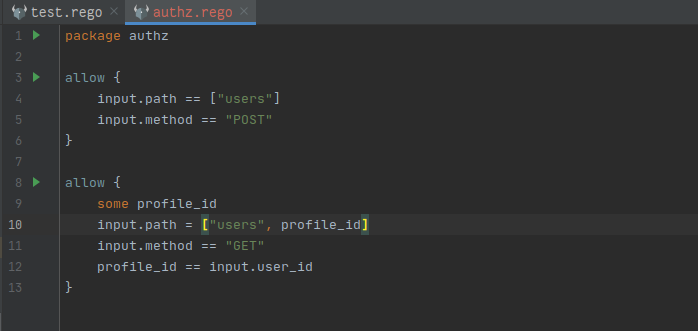
Syntax Highlighting
The plugin includes support for rule heads, Rego keywords, function calls, strings, and comments.
OPA Actions Menu
From the OPA Actions Menu, users can run several key OPA actions on the workspace or the current open file:
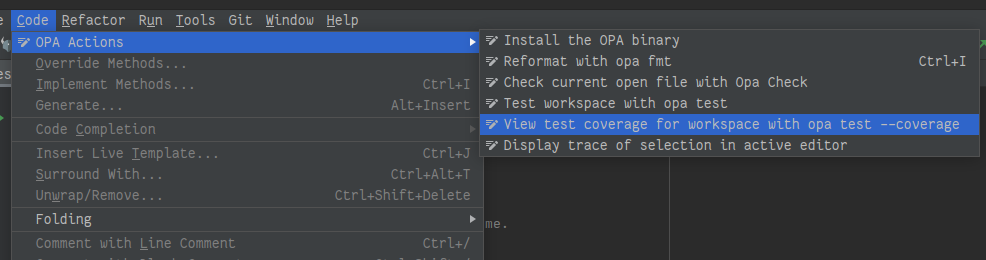
- Install the OPA binary, if it isn't already installed (the plugin prompts for this when running other actions)
- Format Document: formats the open
.regofile usingopa fmt - Check Document: checks the open
.regofile usingopa check - Test the workspace: finds and runs all tests in the project (rules whose heads are prefixed with
test_) - View test coverage for the workspace
- Display the trace of selected code, using an
input.jsonfile found in the project root
Run Configurations
In .rego files, every line containing a rule head or package includes a "Run Configuration" launch button in the gutter, allowing users to run opa eval or opa test directly.
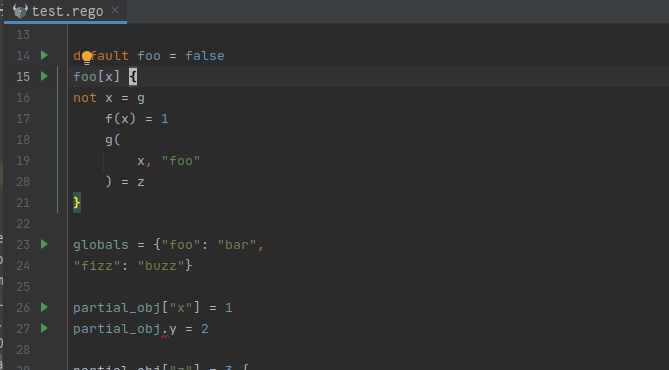
Evaluate Rules
Running a configuration from a rule head line shows opa eval results for that package/rule, using the bundle directory and input file set in the configuration.
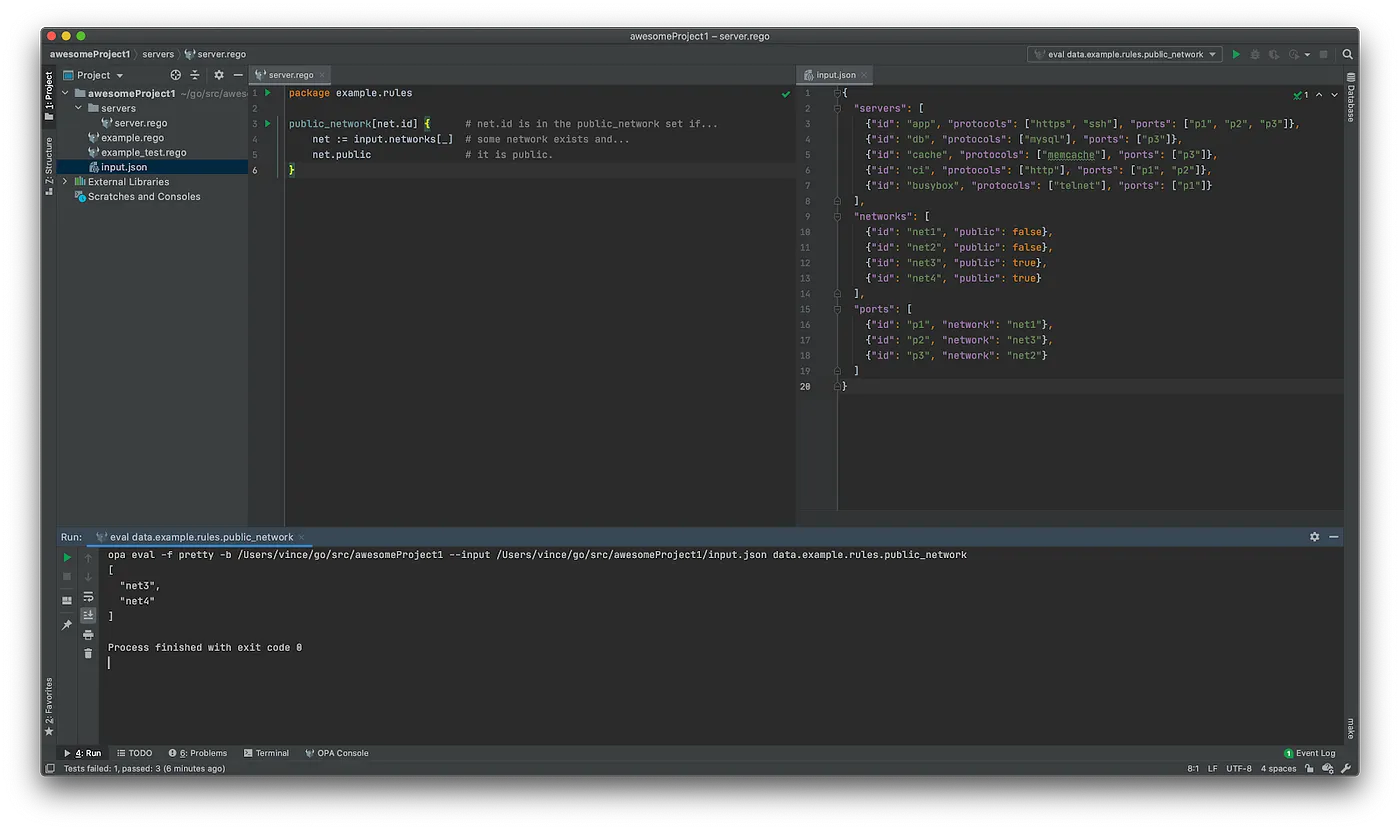
Tip: you can use the shortcut
shift + F10on Windows^ron Mac to re-run the last executedRun Configuration. It allows you to quickly check how changes affect your policies.
Evaluate Packages
Running a configuration from a package line similarly shows opa eval results for the package, using the configured bundle directory and input file.
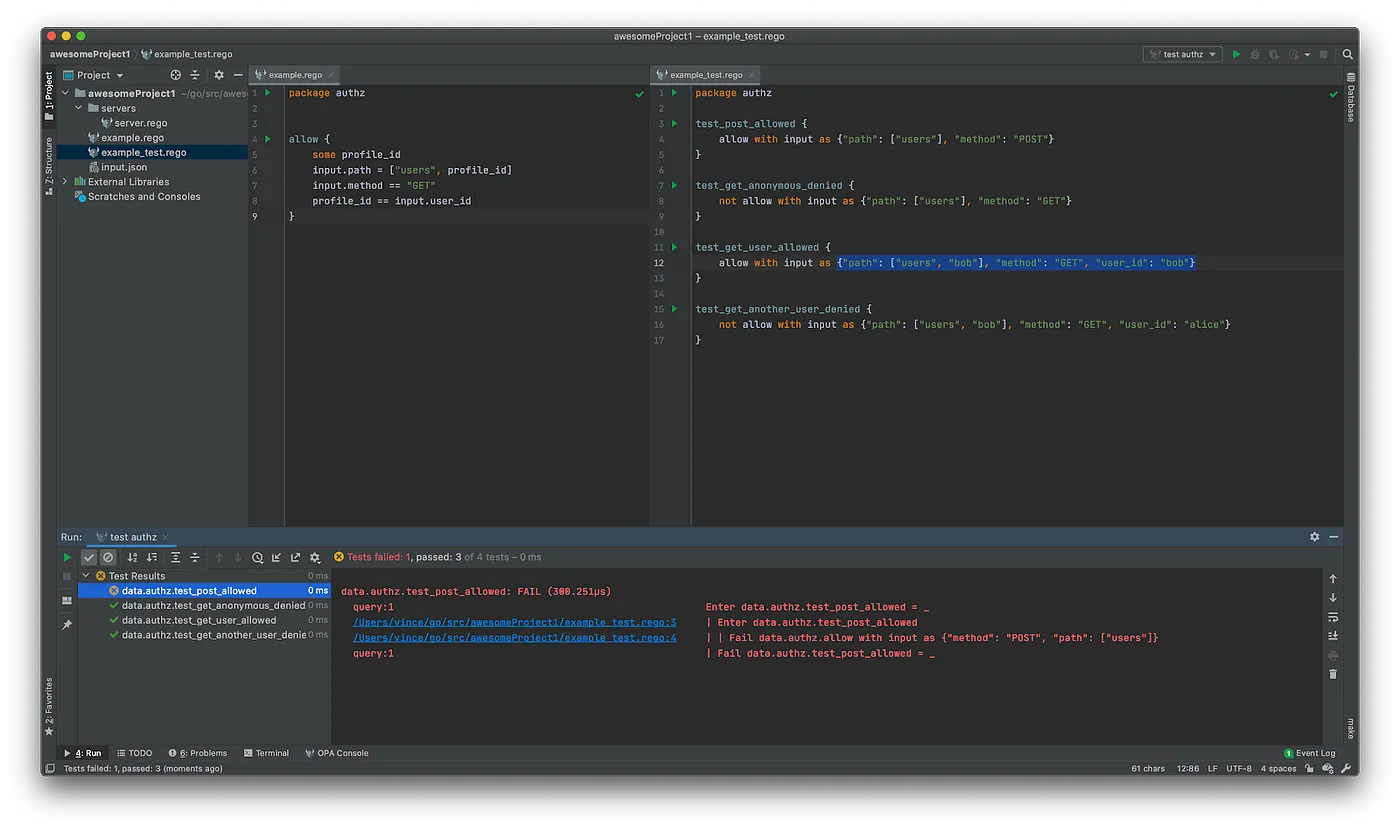
Test Rules and Packages
Running a configuration from a test_-prefixed rule head runs opa test, with equivalent functionality available at the package level. Test results are displayed within the IDE.
Coming Soon
Eval and Partial Eval results for selected code
Future updates will let users highlight Rego code and view eval or partial evaluation results directly in the editor, using an input.json file in the project root. Results will appear as formatted JSON, and a profiling action will also be added to the menu.
Who is it for?
The plugin aims to help newcomers to OPA/Rego with language support and quick access to core features, while giving experienced OPA developers a smoother in-IDE workflow.
How To Contribute
The plugin is open source, hosted at https://github.com/open-policy-agent/opa-idea-plugin. Contributors can file issues or pick up existing ones.
Where To Start
The plugin is built with Kotlin and Gradle. Newcomers to Kotlin are pointed to the official Language Guide, and the bundled J2K Compiler (tutorial link) can help convert Java boilerplate to Kotlin. The IntelliJ Platform SDK DevGuide is recommended for learning plugin development.
Project Structure
A condensed overview of the source tree (full version at the project's architecture page):
opa-idea-plugin/
├── gradle.build.kts
│   …
├── plugin # module to build/run/publish opa-ida-plugin plugin
   │   ...
   └── src/main/resources/META-INF/plugin.xml
           └── plugin.xml
├── idea # source code of features only available for IntelliJ IDEA
   │   ...
   └── src/main/kotlin/resources/META-INF
           └── idea-only.xml
├── src # source code common to all IDEs
    ├── main
        ├── grammar
                └── Rego.bnf
        ├── kotlin/.../ideaplugin/
            ├── ide
                │   ...
                ├── actions
                └── extensions
            │   ...
            └── opa/tool
                └── OpaActions
        └── resources
            └── META-INF
                └── opa-core.xml
    └── test
        ├── kotlin/.../ideaplugin/
            │   ...
            ├── ide
            └── lang
        └── resources/.../ideaplugin/
Note of Thanks
The author credits core contributors Vincent Gramer (vgramer), Frankie Cerkvenik (frankiecerk), and Igor Rodzik (irodzik) for seeding the project, with a full contributor list at https://github.com/open-policy-agent/opa-idea-plugin/graphs/contributors. The plugin draws inspiration from the IntelliJ Rust project's reference implementation.