Rego Playground: New Features

This time last year we launched the Rego Playground. The playground provides an online interactive environment where users can experiment with and share OPA policies.
Today, we are excited to release features in the playground that will help new users get up and running with OPA even quicker than before. Let's have a look.
Feature: Examples for Kubernetes, Envoy and more
Anyone who designs user interfaces (or perhaps any software project/product) is probably familiar with the "blank slate" problem: all of the designs assume the system is loaded with data. However, when new users arrive that data does not exist and the system feels empty.
Since the beginning of OPA we have focused on providing detailed documentation so that new users (a) have something to look at and (b) can figure out whether OPA will solve their problems. Of course, this assumes people want (or have time) to read the docs! Ain't nobody got time for that.
Rather than trying to tell everyone to RTFM, we have decided to preload the playground with a catalogue of examples for common use cases like Kubernetes admission control, API authorization with Envoy and more:
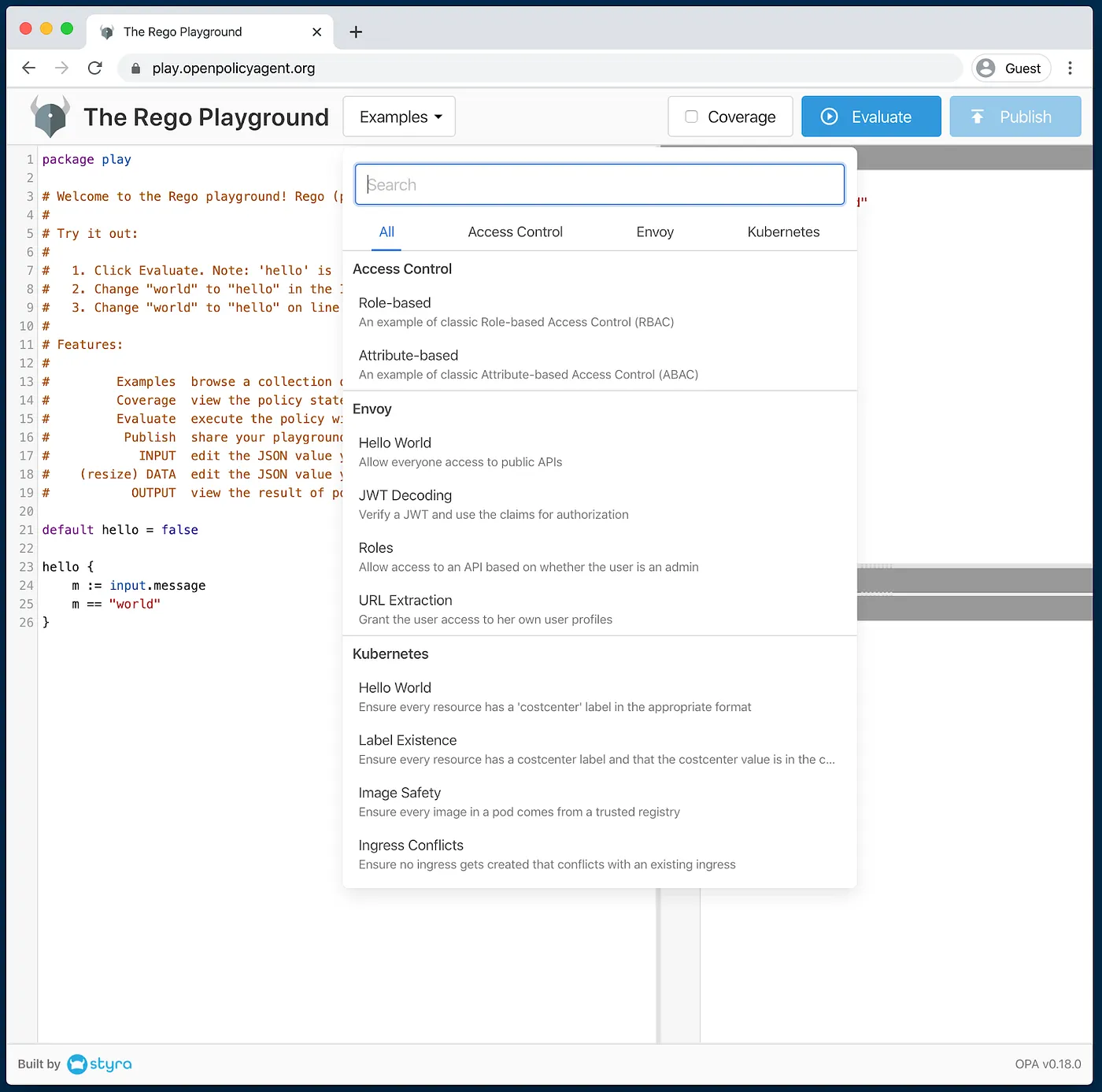
The catalogue is searchable and filterable. Over time we plan to continue to curate the catalogue to ensure they demonstrate common use cases and patterns in policy language.
Feature: Kick the tires with OPA bundles
Once you have written a couple policies or modified existing ones, the next thing you often want to see is how OPA can be deployed and have policies distributed to it.
OPA supports a feature called "bundles" that enable policy discovery and distribution. Bundles are just gzipped tarballs containing policy and data files. When bundles are enabled, OPA continually tries to download and activate the latest version of policy and data that control its decision-making. Bundles are designed to be CDN compatible so that policy distribution can scale easily. All you have to do is set up a webserver to host your bundles (or rely on services like AWS S3), however, this is often more work than people want to embark on while they kick the tires.
To help users get up and running with bundles, we have extended the playground to serve published policies as bundles. All you have to do is click "Publish".
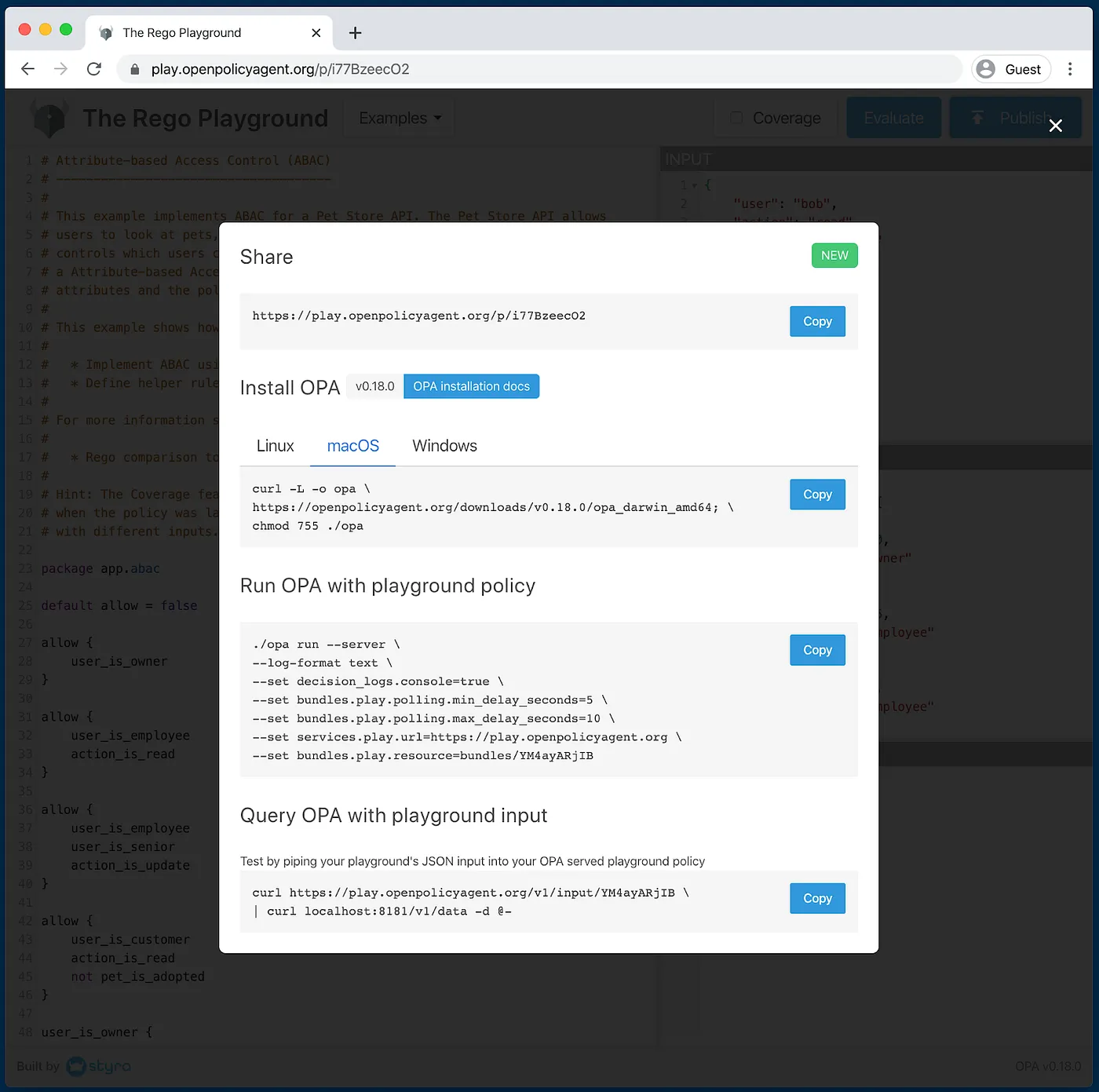
Once you publish your policy, the playground displays the steps to:
- Download and run OPA locally
- Configure OPA to use your published policy
- Test the policy with the input from the playground
Any edits to the policy that are published from the same browser window will propagate to OPAs configured to use the playground bundle. This lets you exercise OPA's dynamic policy update capability (aka "hot reloading").
Feature: Improved support for context-aware policies
When software systems query OPA for policy decisions they can supply arbitrary JSON data as input. This data drives policy decision-making, however, in many cases, it's not sufficient — more information about the state of the world is required to render a decision. In OPA, we often refer to this information as "context". There are various ways to load context into OPA, however, one of the most common ways is to cache data in-memory alongside the policies.
When context is cached in-memory it's referenced under the data global variable. If you have used OPA for Kubernetes admission control, you may have seen policies that refer to the cached state of the Kubernetes cluster maintained inside of OPA in admission controller deployments (e.g., data.kubernetes.ingresses).
In the initial version of the playground, we did not provide support for loading arbitrary external JSON values under data. This was primarily to keep the UI as simple as possible and also because technically you can just define any JSON values you want inside of the policy itself — references to JSON defined in the policy are identical to references to raw JSON that would be cached in OPA.
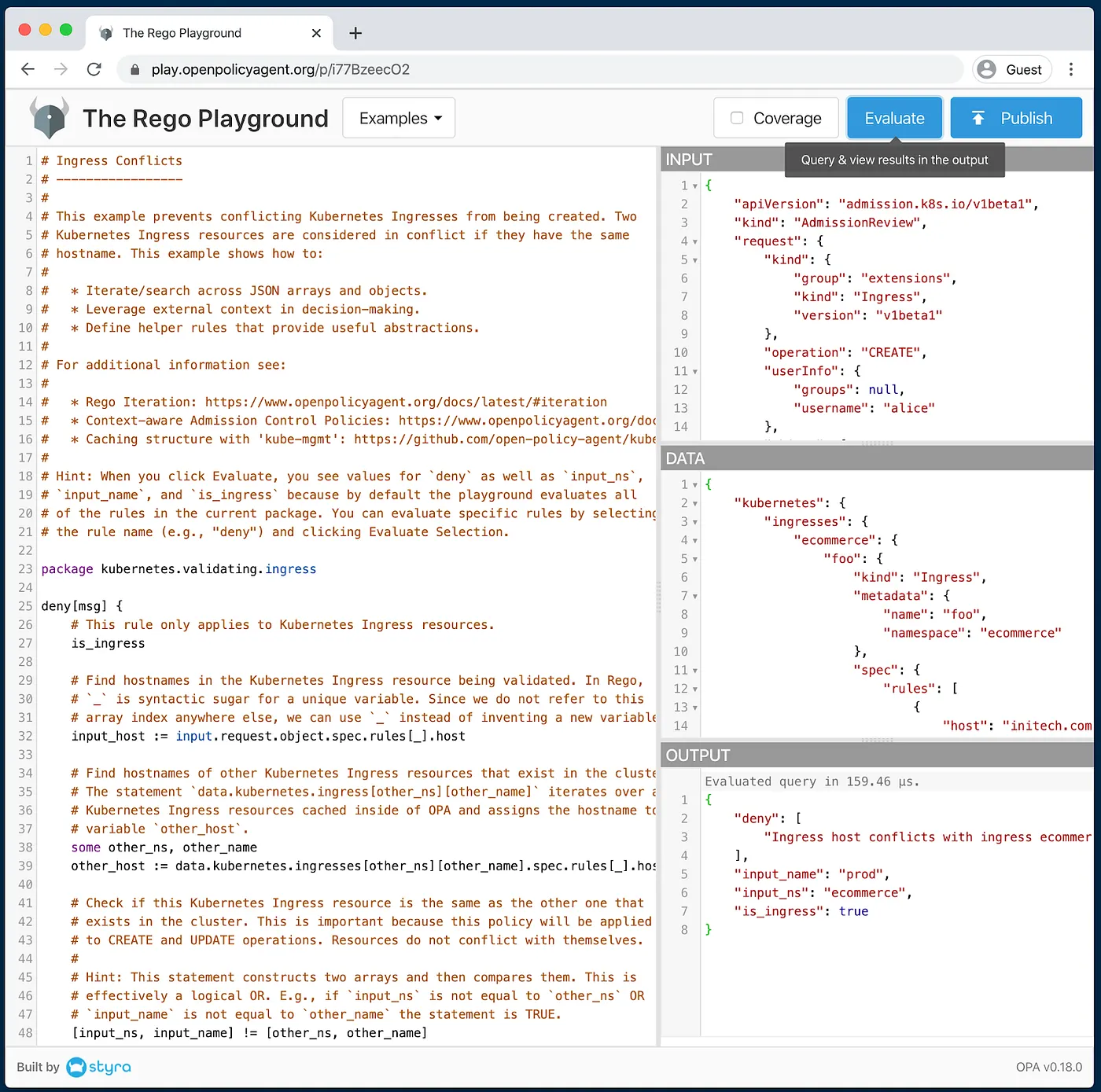
So while it was possible to experiment with context-aware policies inside the playground, it was a bit non-obvious. In the latest release, there is now an empty "Data" panel (along with "Input" and "Output") that lets you load arbitrary JSON values under data: